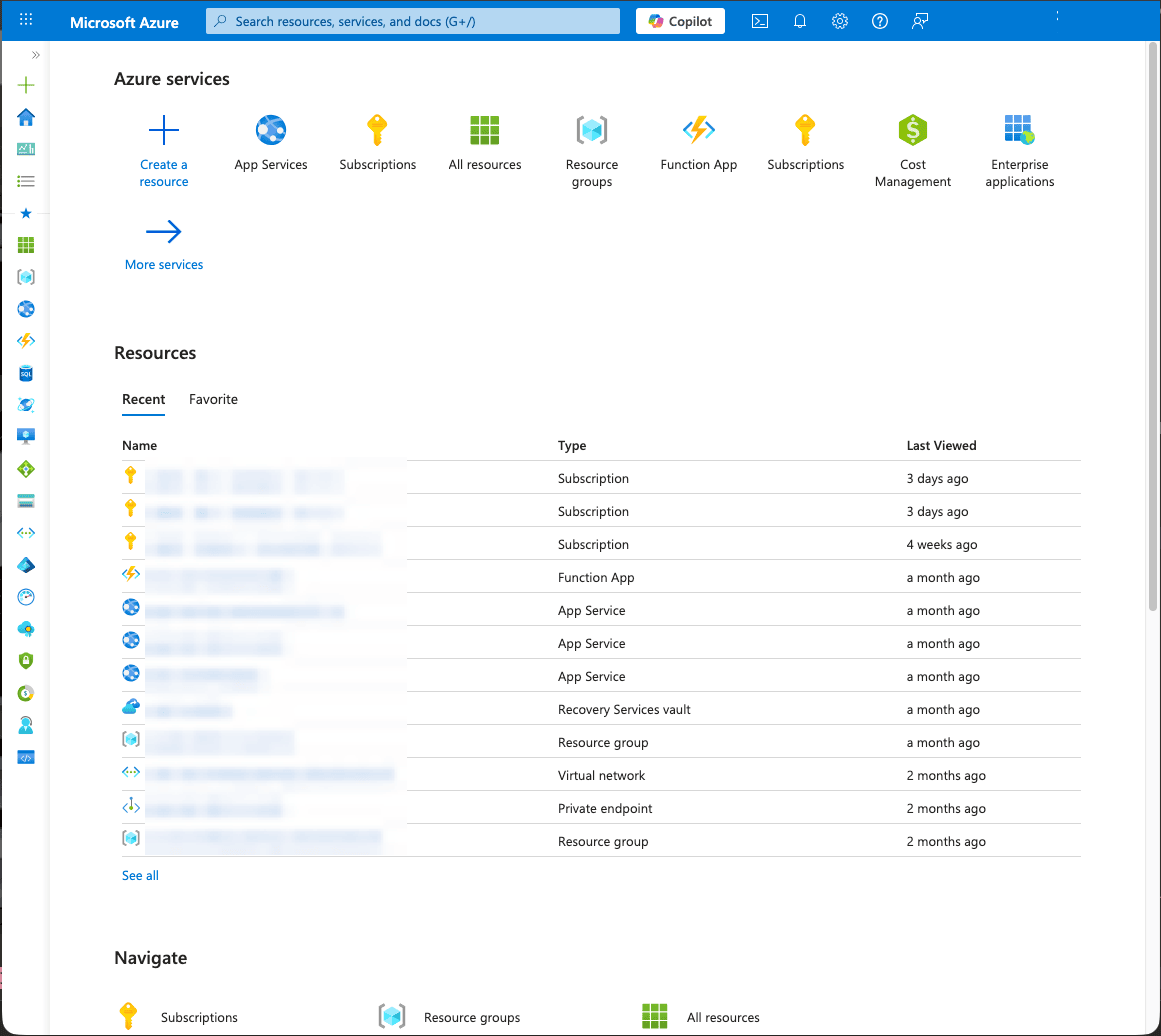
At a Glance
Goals
- You are able to log in to the Azure Portal
Prerequisites
- A valid campus account is required
References
Portal
- Open any browser and enter the URL https://portal.azure.com in the address bar
- Automatic redirection to the Microsoft login screen occurs. On this page, enter the University of Bern email address under
Email, phone, or Skypeand clickNext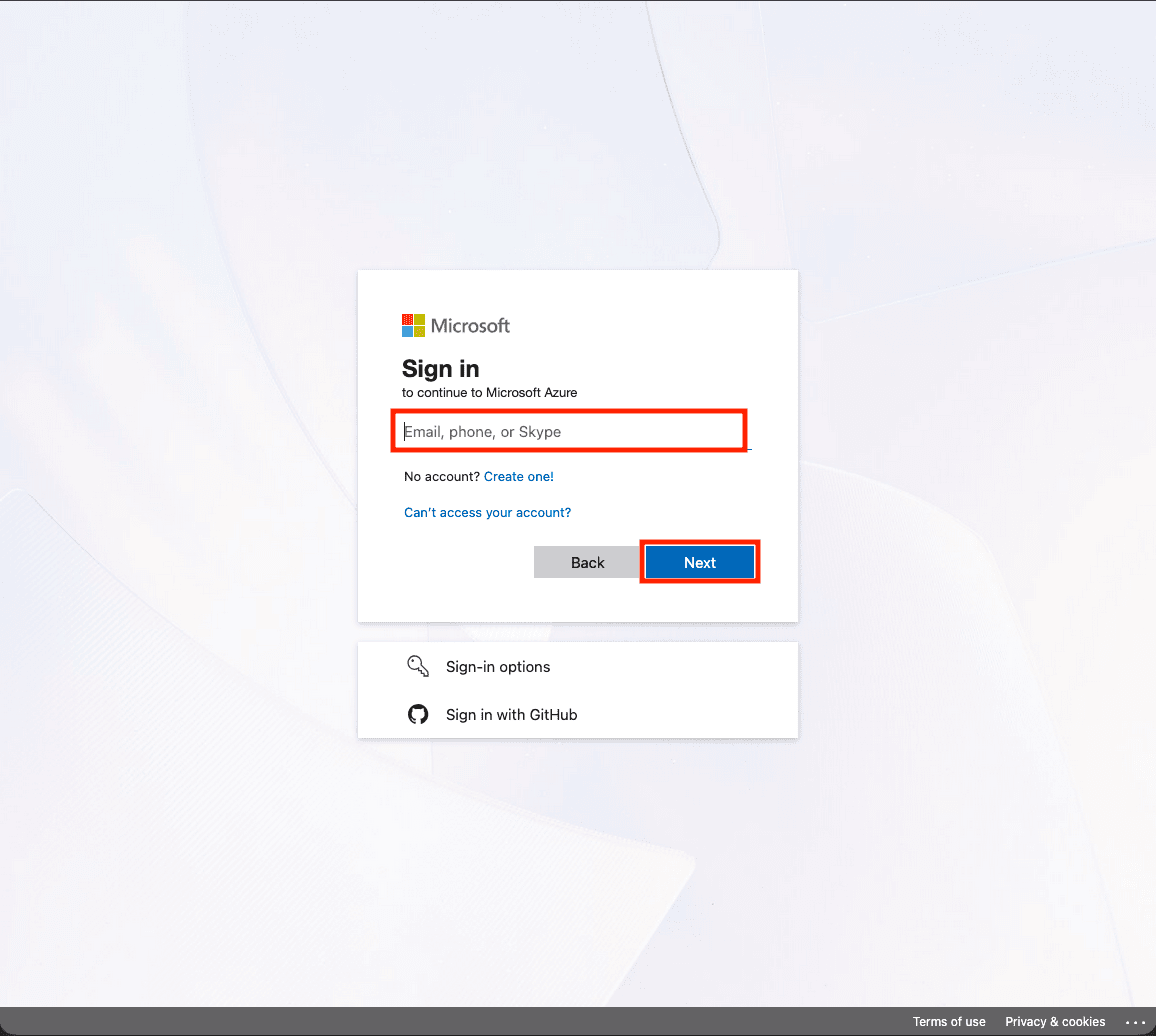
- Enter the campus account password in the
Passwordfield and clickSign In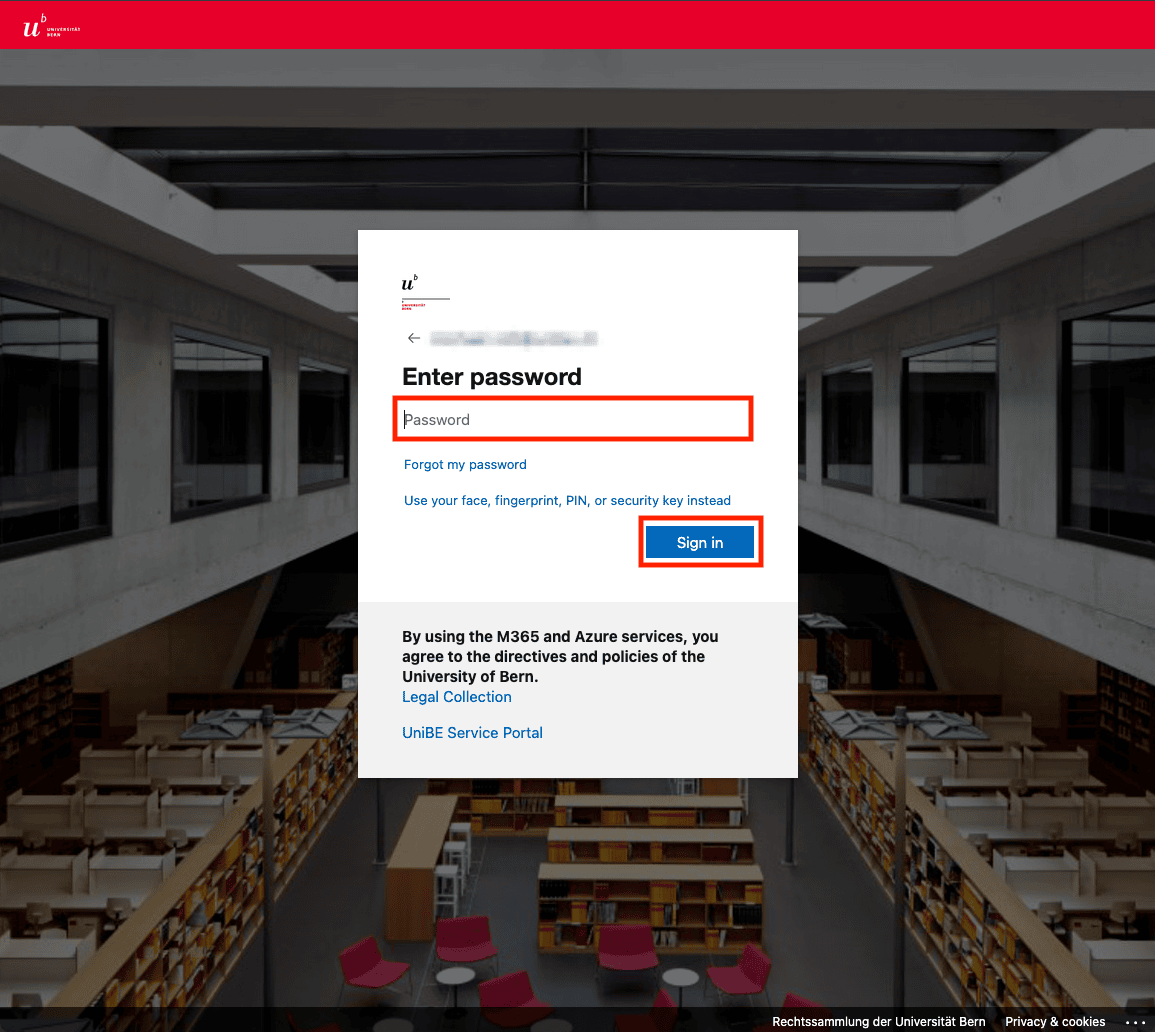
- Two-factor authentication must be completed. This varies by user. In this case, use the Microsoft Authenticator app to read the code and enter it in the
Codefield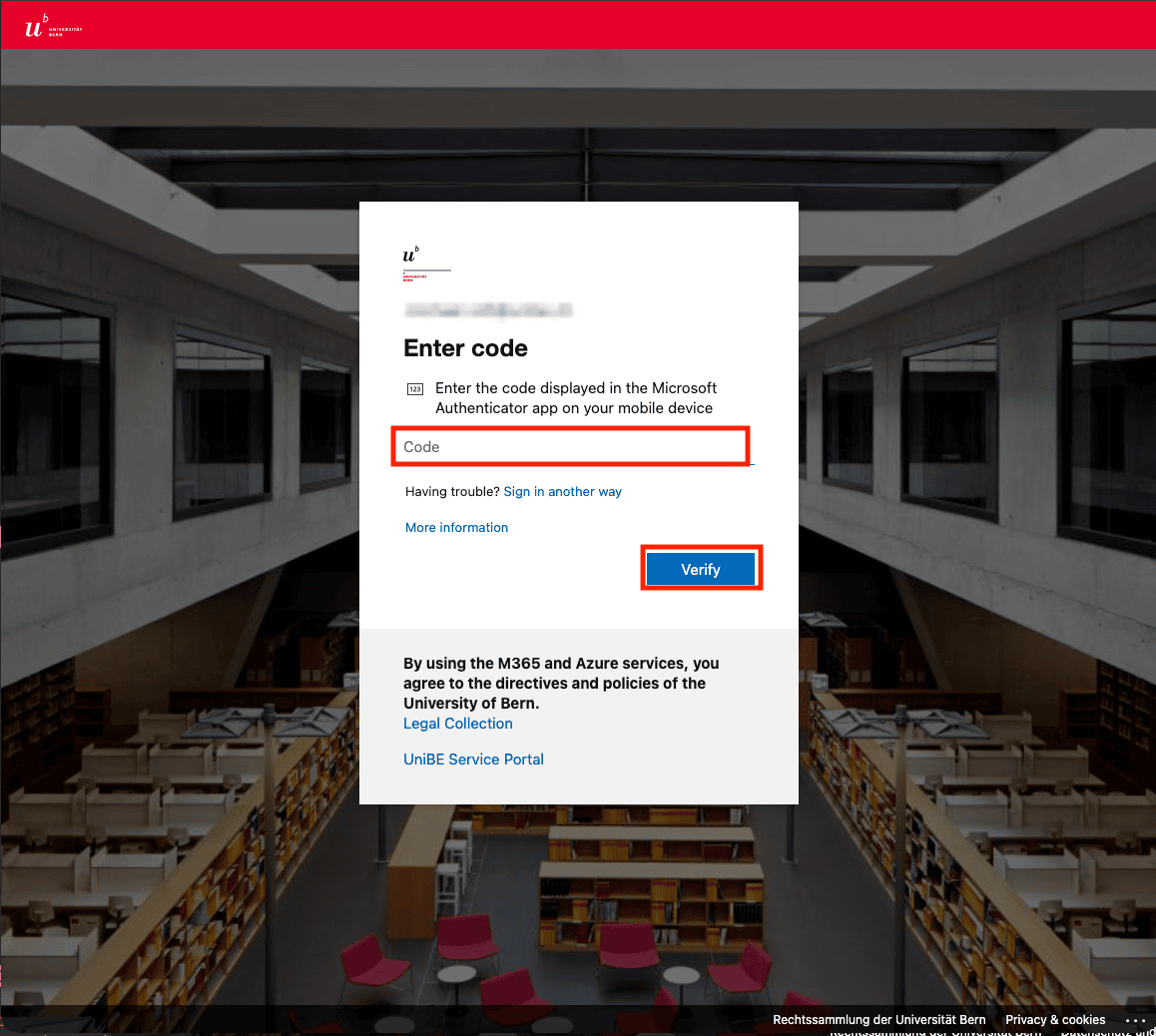
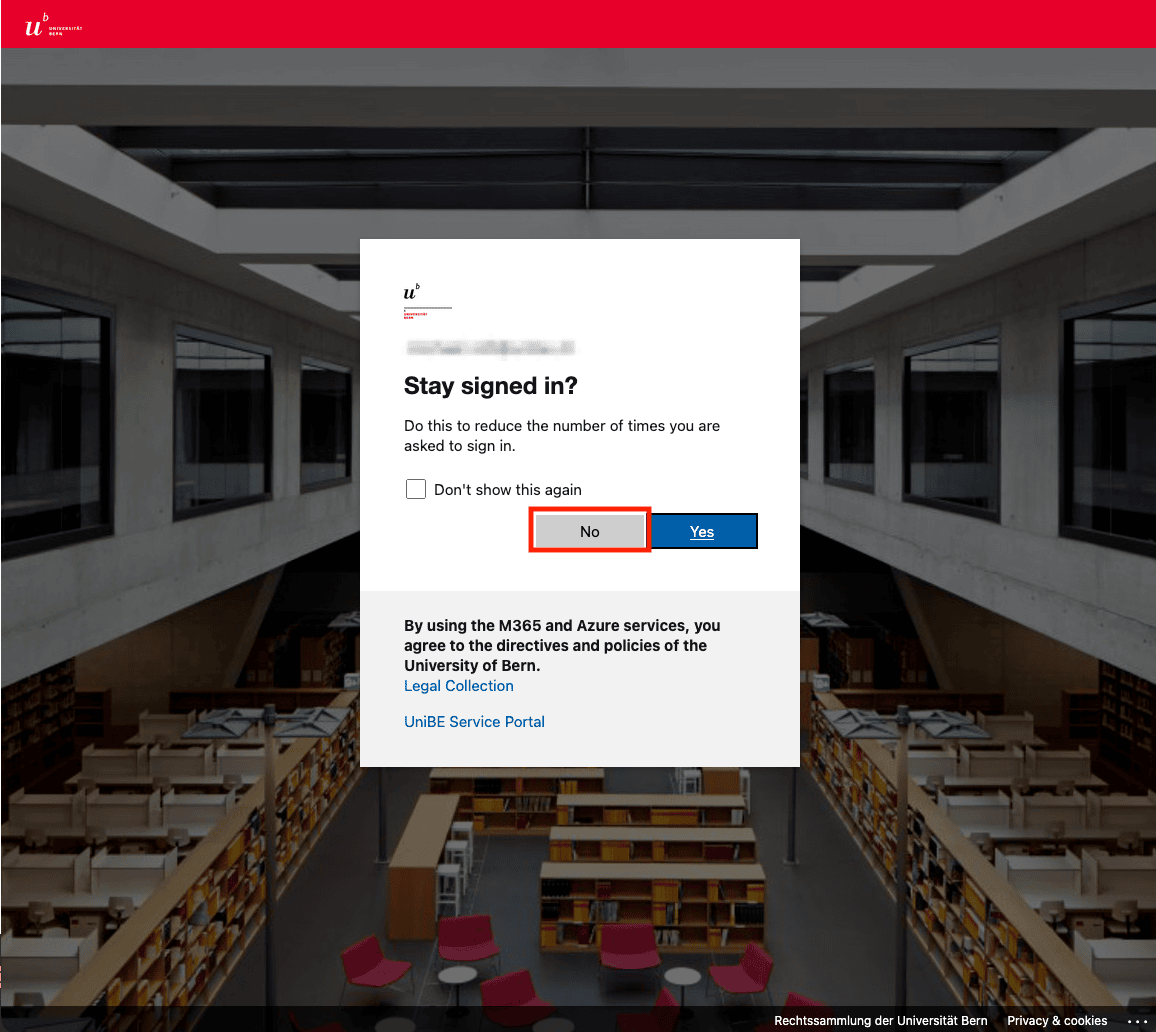
- Persistent login is not recommended, especially on non-personal devices
- After successful authentication, redirection to the portal homepage occurs