How-To: Custom URL for S3-Buckets
The S3 service of the Switch Cloud is described in detail in the official documentation by Switch and is not replicated here.
Procedure
Section titled “Procedure”Yes, this is possible. At Amazon, this feature is described in the AWS documentation; in the documentation of the Switch Cloud, it is currently (still) not documented.
In the Switch Cloud, S3 buckets are accessible via the following endpoints, depending on whether they are created on SSD or HDD backend.
Thus, URLs to resources follow the pattern https://<endpointURL/<bucketname>/<resourcepath>.>
If you want user-friendly URLs to your resources, this is possible via CNAME records.
Example:
- Create a CNAME: *dlbucket.id.unibe.ch IN CNAME https://zhw-b.s3.cloud.switch.ch*
- Create the bucket in the Switch Cloud portal:
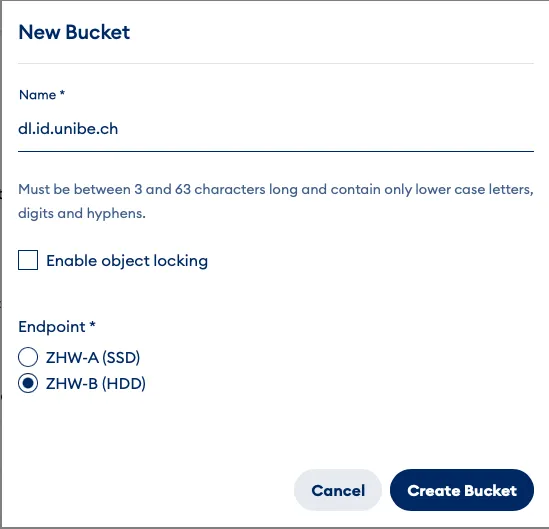
The name of the bucket must be exactly the same as the CNAME! The following two URLs are now equivalent and lead to the same file Testfile.txt in the bucket dlbucket.id.unibe.ch on the HDD endpoint of the Switch Cloud.
- https://zhw-b.s3.cloud.switch.ch/dlbucket.id.unibe.ch/testfile.txt
- https://dlbucket.id.unibe.ch/testfile.txt
age](https://www.switch.ch/de/kontaktieren-sie-switch-cloud).